1
/
of
4
Brightside Planners
Digital Planner — Memento Mori (Interactive HTML, Skull Themed)
Digital Planner — Memento Mori (Interactive HTML, Skull Themed)
Regular price
£18.00 GBP
Regular price
Sale price
£18.00 GBP
Taxes included.
Shipping calculated at checkout.
Quantity
Couldn't load pickup availability
Memento Mori is a bone-white, skull-themed digital planner — and it's built as an interactive HTML file, not a PDF, so it opens straight in any web browser on any device. No GoodNotes, Notability, or PDF app required.
- Covers August 2026 – December 2027 (17 months, 75 weeks) — every page grouped by month and listed for instant jumping, no endless scrolling
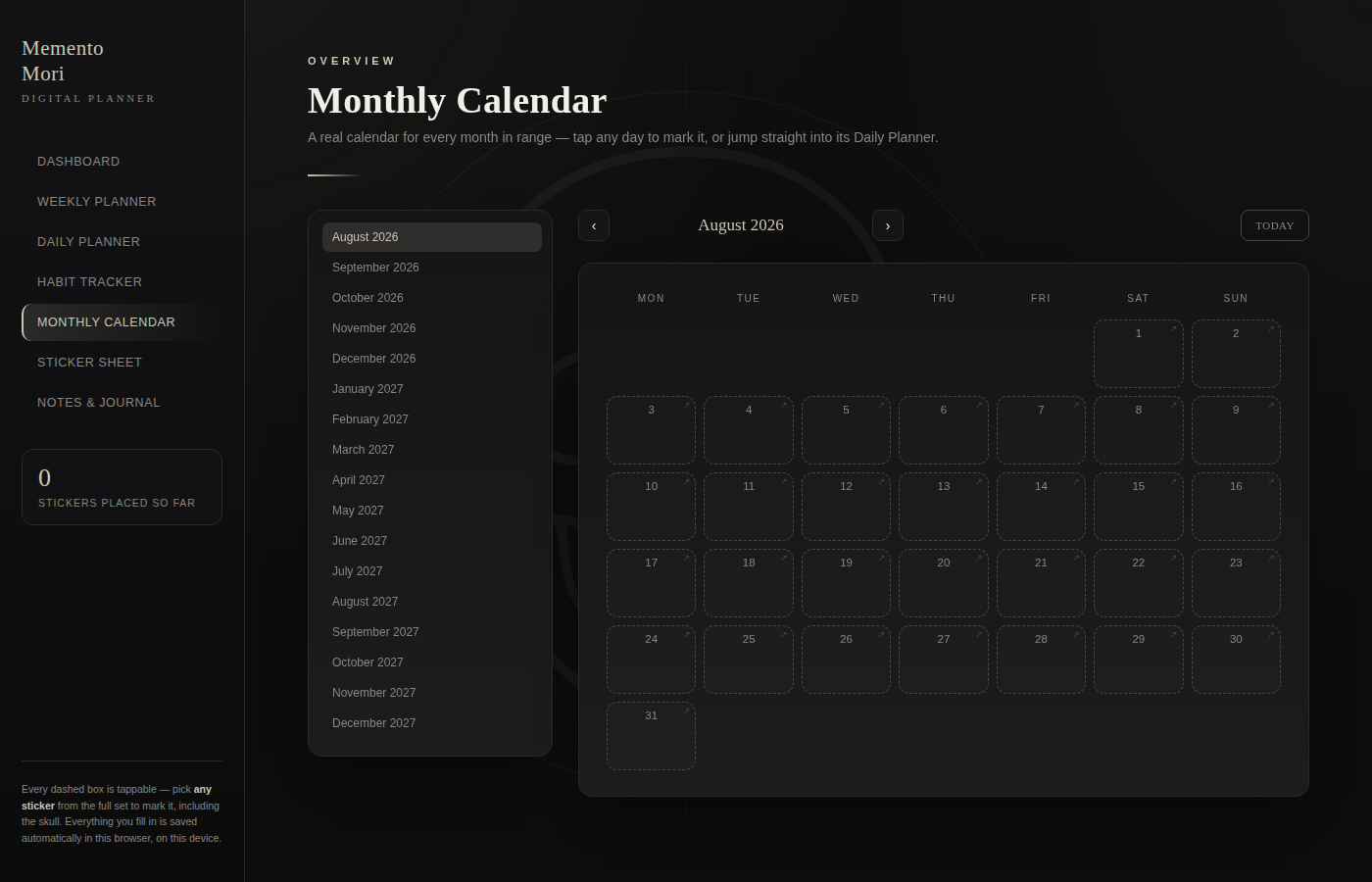
- Weekly Planner, Daily Planner (priorities + hour-by-hour schedule), Habit Tracker, and a real Monthly Calendar grid for every month
- The Monthly Calendar automatically shows a preview of what you wrote in the Daily Planner for that day — something a PDF planner can't do
- Click any calendar day to enlarge it in place and read everything you've written, however much you've packed in
- An unlimited dated Journal — add as many entries as you like, not capped at one page per day — plus a freehand doodle pad
- A skull sticker set (skull, crossed bones, raven, hourglass, moth, wine, candle, quill) — tap any dashed box to mark it
- Everything you fill in saves automatically in your browser as you go, and is still there next time you open the same file in the same browser
How it works
- Purchase and download the file from your order confirmation email or account.
- Open it in any browser — Chrome, Safari, or Edge — on desktop, tablet, or phone. No app or install needed.
- Tap into any box to write, tap a sticker to place it, and click any calendar day to expand it.
- Your entries save automatically in that browser — reopen the same file anytime to pick up where you left off.
- Working across two devices? Save the file to cloud storage (e.g. Google Drive, iCloud) and open it from there on each one.
This is a digital download — no physical item is shipped, and no app or account is required to use it. Just open the file and start planning.
Share